Thursday, 7 January 2016

Rosie

Ok it's been a long time since I've posted, soz. Technology wise, its been a good 12 months as I moved house in the middle of 2015 and had to develop Rosie, who had been built specifically with my two bedroom apartment in mind, to work in a much bigger four bedroom house - it also suddenly had to have WAF (Wife Acceptance Factor) (or GAF) as I moved in with my girlfriend.

I re-wrote most of Rosie on a flight back from Dubai last year. I kept the basic foundation but decided to expand her in a few minor ways:

1. Lights to Devices
She would no longer be "Lights" focussed and would be more "Device" friendly as the system can switch any electrical device on and off as long as it plugs into a wall socket.

2. Two floors
I would categorise everything into Downstairs and Upstairs, mostly for a better UX.

3. Cleaner UI
I would clean up the UI, mostly for mobile devices as my girlfriend and I tend to use Rosie on our phones more than any other device, so I wanted to remove clutter and make her even easier to use.

4. Remote Rosie
I wanted to enable (or rather re-enable) the ability to control Rosie from outside the home. She can now be accessed from anywhere but if you try accessing from outisde our WIFI, you will be prompted for a pin number, just to deter people accessing my devices and network! I've implemented a simple http redirect for any requests to my IP which redirect to the Rosie RaspberryPi. I've used a friendly figurativelyone.com sub-domain so the whole thing is seamless and easy. It's great if we've forgotten to leave the lights on for the dogs or have left a light on.

5. Aerial
Rosie needed a much longer aerial to make sure that she could turn the lights on and off throughout the house

Then, I had an idea after talking to a fellow home automation enthusiast. He had mentioned that his system could be accessed via a tablet, mounted on his wall. He'd implemented a few cool tricks on the tablet such as it waking up when it detected somebody walking towards it and was locked to only show one specific webpage.

This got me thinking and I kept pondering whether or not it would be worth implementing the same thing in our house. I wasn't sure whether we would actually use it, as it's so easy to use on our phones.

However, as I kept thinking about it, I couldn't help but think that if Rosie was permanently displayed, she'd be rather dull. Several thoughts later and I had what I considered to be a great, if slightly unnecessary, idea for how to brighten up the UI.

The idea
I decided it would be cool to display a full-sized background image behind Rosie which would depict the day's weather.

A weather API
I needed a weather API. Previously I've used Google's weather API for other projects, but unfortunately Google have decomissioned this particular project. I started searching the net for a reliable and rich weather API. I thought this might be the end of my project, but I was very surprised to find out that the MET Office have their own API that you can use for free. Not only this but their documentation is very easy to use and whole API seems to be very well written. I was quickly able to register, get my API Key and put some sample code together.

The API offers a variety of different outputs including weather forecasts for today and up to 7 days in the future. I wrote my class to bring back a headline of today's weather. This updates throughout the day, so whenever Rosie loads on a particular device, the latest weather headline can be displayed.

Interpreting the weather
The next challenge, now that I had a sentence containing the weather for today, was to write some code to interpret what the sentence meant in terms of weather. I have decided to build this up over time and make it more intelligent as I find new sentences to interpret.

To start off with, I looked for key words such as rain, showers, wet, snow, ice, cold, sun, wind etc. I put them into a hierarchy (e.g. snow trumps rain as snow is so much rarer in the UK). I keep developing this as I find more keywords and will eventually add in a weighting algorithm to read the whole sentence and determine the overall weather. This will be necessary because sometimes there are sentences such as "Dry at first with showers developing in the afternoon".

The Imagery
The end result of the weather interpretation is that I end up with a type of weather, e.g. Rain. Each type of weather is associated with an image which can then be loaded as the background image for Rosie.

Examples

Desktop


Mobile


Control Panel - a device can be enabled or disabled at the touch of a button now. This is really handy for devices we don't always use, such a Programs to automate the Christmas lights!


Future planning
Rosie will continue to be developed and improved... the following ideas are in mind at the moment

  • More advanced scheduling
  • More advanced Control Panel
  • Keep thinking about the potential and usefulness of a wall mounted tablet
  • Automating our chicken coop door!


Saturday, 24 May 2014

If only I had a time machine


It's been a while since I've updated this blog. It's always a poor excuse to use the word "busy" and I don't know many people who would accept it, but I'm afraid it's the one I'm going to use.

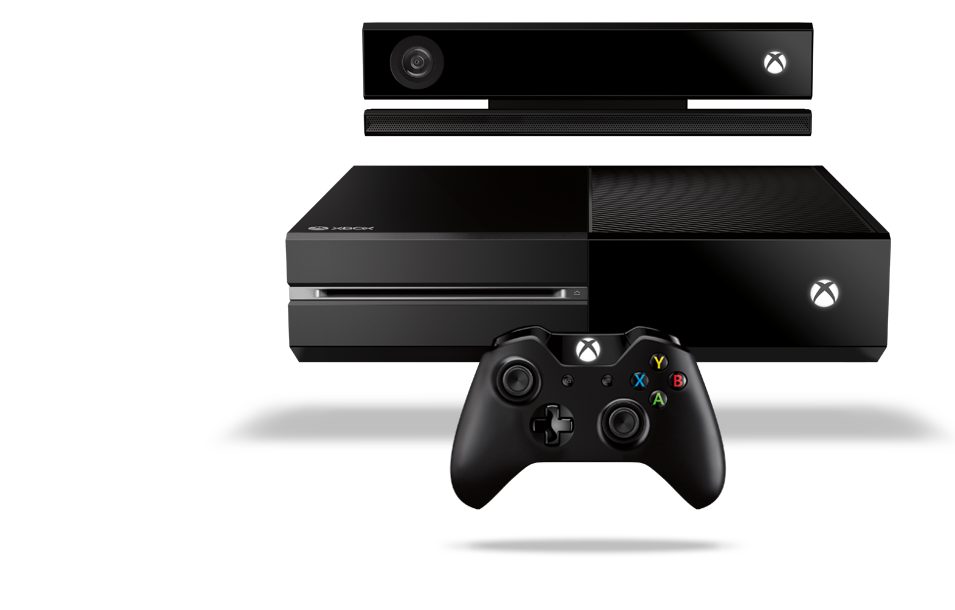
Xbox One

I indulged. I'd been thinking about it for a while and kept saying I didn't need an Xbox One, my Xbox 360 was console enough and anyway, I didn't even play that enough.

That lasted a while until, one day, I found myself walking out a shop with a smug grin on my face and a heavy bag containing and Xbox One console, Titanfall, Forza 5 and Battlefield 4.  
My Xbox One setup

I love it. It's an amazing entertainment system. I have it hooked up to my sound bar and my TV. Saying "Xbox On" turns the whole lot on and it has boosted what was already a gadget busy living room into an even more "intelligent" one.

I'm not a big gamer, I like to play games occasionally but I rarely ever play online, I'm happy enough playing single player. What I like about the Xbox One is that it is so much more than a games console, which suits me perfectly.

Voice Control

The voice control is incredible, I don't measure it's success but I'd struggle to believe it was less than 98% in my apartment. If I'm watching a loud action movie, it's probably not going to hear me shouting at it, although inevitably if I shout "Xbox Mute", it usually obeys, allowing me to then whisper further commands. I've even sung commands to it "Xboooox Ooonnn" in a booming voice - the bloody thing even understands that. Don't judge me on the singing... 

You can control most things on the console with voice control. Even saying "Xbox sign in as Mike" works nicely. 

Smart glass

If Voice Control doesn't work, you can't be bothered to use it, or you are watching a loud action movie, then Smart Glass, available on all platforms, is your next best friend. It's a great little app allowing you to control the Xbox from any app, game or just the home screen. I use it on my iPad mini. It's great for using with apps like Youtube or Internet Explorer.

Gestures

Probably firmly in the "novelty" category, the gestures are pretty good but not exactly that quick. You spend much more time waving your arm around, clenching your fist and pushing imaginary buttons than you would need to using a controller, smart glass or your voice, but they are at least fun.

I use the gestures to browse through films in Netflix sometimes, which is actually a great use for it.

Sky

Routing my Sky+ box through the Xbox is great. I can go from a game to Sky in seconds, I can snap sky to the side of a game i'm playing or webpage I'm browsing (or vice versa). The picture quality seems to be just as good through my TV and it just brings everything together.

Figuratively One

It's just a name. A brand, if you like. I needed a Working Title for my projects. It just feels neater that way. It gives me a logo to use with my projects and a consistent theme to stick to. 

There is no particular reason for the name but if any of my projects take off in any way, it'll be the brand name for that project.

Time

One of the problems I face with Figuratively One, is how much free time I have, or rather, when I do get free time, having the energy to do anything. Working in the Technology industry means that when I need some downtime, I tend to want downtime away from programming of any kind. 
Figuratively One:
Rosie Home Automation

Maybe I should focus my efforts on building a time machine ... or a way to increase energy after a hard day at work?

Raspberry Pi

My production Raspberry Pi is working really well. The Rosie home automation system has had a face lift (sample on the left) in line with the Figuratively One brand and is working brilliantly. I can snap Rosie onto the Xbox whilst watching TV and control the lights using gestures, Smartglass or a controller too.

The voice control module is currently offline. I need a separate Pi to run both for reliability and sound performance reasons. I have a second Pi but it's linked up to some motors at the moment so I'm dawdling and procrastinating. Voice Control is working well with Rosie though so once I get round to it, I'll be able to turn my lights on and off once again using my voice. Rosie for lights, Xbox for entertainment - sorted.

Technology

Apple MacBook Air and the Microsoft Surface

Microsoft have announced the Surface Pro 3, which apparently is targeted less at the iPad and more at the MacBook Air. 

I own a MacBook Air and I like it. I went through an HP Netbook and Microsoft Surface RT before landing on the MacBook Air and I'm sorry to the Apple haters but, it's the best laptop I've ever owned. It just works. It wakes up immediately, it lasts 10 hours, it operates silently, it's light and it's fast/powerful.

I'm able to do my work on it from anywhere and as Apple computers are much more popular these days, I have no compatibility issues. If I did have, I could install Bootcamp and run windows on it.


When I owned the Surface (albeit an RT model), it was a very nice looking device, it was actually a great size for a tablet and I really wanted it to be the right device for me, but I found, very quickly, that I was forcing myself to use it, rather than using it because it was the right device. Needless to say, just a few weeks into owning it, I had sold it. 

If I had to choose between paying ~£800 for a MacBook Air or a Surface Pro.... I'd find it difficult to justify the Surface. You just can't use the Surface as a fully functioning computer, unlike the MacBook Air. 

Windows still have some ground to make up in my opinion.

That said, it seems as though they are heading in the right direction, so maybe the Surface 4 or 5 will be cheaper and will close the gap. Oh, and they should get rid of RT, that is so restrictive, it's just not worth using.


Sunday, 19 January 2014

Efficiency: Coding and German

Rosie, AJAX and JSON

I've been working in modernising the software side of Rosie. At first, I wanted a module which would tell me whether my lights were on or off. As a rudimentary first attempt, I just had a module which loaded the current state of each light and visually displayed it at the top of the page. I then used some JavaScript to refresh it every second.

This works well, especially on wi-fi. You can't see the refresh and as soon as a light comes on or goes off, the little graphical bulb goes off. The problem is, a) it's horrendous for battery usage, especially on a tablet or phone, b) it doesn't work well over 3g, with the module visually disappearing and then reloading and c) it's an awful solution I'm definitely not proud of.

So I set to work yesterday to return an array encoded into json. Then I read that response back from my AJAX query and use that to update the lights. The response comes back as an array containing the ID of the light and the state it has switched to (on or off). I can then use this to update the styling of the particular light to show it as on or off.

Next I need to do an occasional check on the database to see whether another device is controlling the lights. This is rare but if I set a delay on the light e.g. in 5 minutes turn XX off, then I need to control that as well.

Motorbike

Today was a glorious day so rather than sitting on the sofa watching "background tv" whilst coding AJAX, JSON and PHP, I decided to get on my motorbike and go for a ride. I rode from Bramley, Hampshire to Streatley, Oxfordshire. I took a few pictures up there for around 30 minutes and then headed back, completing a circular route. It was a great route and great ride.


This week

This week is a bit busy. I'm practically touring Germany with a trip back to the UK in the middle. 

On Monday, I travel to Frankfurt. I am there all of Tuesday and travel back Tuesday night. I then go into the office on Wednesday morning before heading back to Heathrow Wednesday lunchtime to fly to Berlin. I stay in Berlin all day Thursday and then head back. Friday, I aim to stay in one place all day - Reading.

I have a feeling I'm going to be tired on Friday. It's not quite the craziest week I've ever had though and it's definitely going to be interesting. It'd be easy if I didn't have some heavy-going meetings whilst at these locations.

Fortunately, I use a great app called Trip Case for managing my trips. Usually, it's just handy to have the entire trip in one app, but this week it's necessary. Different airlines, times, hotels and terminals would have me thoroughly confused otherwise.

Netflix... conforming 

I, by default, am a non-conformist. I think there is 20% of me which naturally conforms (I'm not unfashionable, I like my house to be tidy, I follow social etiquette etc) but the other 80% likes to do my own thing.

For example, I tend to have the latest gadgets, but that's not so that I look cool in the street. Actually, I typically end up trying not to show them off because I only buy them because I love gadgets. 

So, what happens is I sometimes stay away from the latest fads, because I don't want to be one of a crowd. This has it's disadvantages, for example I am very late to Breaking Bad, I haven't watched any Game of Thrones (but now want to) and am late to joining Netflix. I have tried it this weekend and it's brilliant. I really like it. I'm using it through my Xbox 360 but since I can use it everywhere, I'm impressed. Whether I use it enough to justify it's cost is another question.


Sunday, 5 January 2014

Meet Rosie (Automating the lights at home part 3)

Meet Rosie
Introducing Rosie, my assistant. She manages my lights for me.


I can make a request of Rosie and, providing she understands it, she completes it.

Example:

Me: Rosie
Rosie: Yes Sir
Me: Living Room and Kitchen On
Rosie: Turning the Kitchen and Living Room lights on
Action: The lights come on!

Background

Rosie has existed for a while, only she had no name. I initially went with Ralf but then a couple of factors made me decide to go with female and Ralf no longer worked. I decided I wanted to increase the amount my lighting system could do and look to branch out from lighting control... and a name seemed like a good place to start!

How she works...

Beforehand...

As mentioned, Rosie has existed for a while. So let me recap on how she works.

Rosie is made up of:

A Raspberry Pi - Essentially, this is Rosie.
An RF Transmitter - This is used to switch the lights on and off
WiringPi - A really neat package that allows each control of the GPIO pins on the Raspberry Pi.
Strogonanoff - A great project I used which transmits the right signals to the Remote Control Sockets
Remote Control Sockets - The remote control sockets the lights are plugged into
Apache 2 - HTTP web server Software
PHP 5 - The programming language for the interface
MySQL - The database technology I like to use. This holds a database of lights, the schedule and groups them into programs.


That's all been working reliably for several months now, so it was time to extend the functionality a little bit.

The new components are:

VoiceCommand - Created by Steven Hickson, this amazing tool utilises Google's Text to Speech API allowing voice recognition to be used on the Raspberry Pi
Logitech Webcam - A webcam with built-in microphone so that Rosie can hear me
Portable speaker - A speaker so that I can hear Rosie

When I say Rosie, she responds with "Yes Sir?" (this is the default but can be configured). I can now say any command and Rosie will try to interpret it. With VoiceCommand I can choose whether I search Google for a result or look inside the config file. I've chosen to stick with the config file for now. I've added phrases for my lights and can ask Rosie to turn them on or off. 

For now, she's restricted to on and off commands but I'll be adding features to incorporate delays (Turn living room off in 10 minutes for example) and scheduling in future.

She's working pretty well but I'll be working on improving her in future. She's also currently restricted to about a 6 foot radius as the microphone and speaker only reach so far... so that needs thinking about too.

Of course there are times when I don't want to talk to Rosie or times when there is a lot of noise (TV on for example), so I still have the web interface which I access on my Phone, iPad or computer.

Friday, 27 December 2013

My Tech

Well it's been a while so I thought I'd better post an update.

Automated Lights
The lights are now a "production" element of my apartment. They're essential, reliable and... they're awesome.

In order to consider them a "production element", I had a couple of things to implement.

Hardware
Firstly, my solution was in two pieces. I had the Raspberry Pi and then I had my soldered light module.


Not a tidy solution.

So, for inspiration I put Ironman 1 and 2 on (Ironman 3 is playing as I type this) and re-soldered the lighting module inside the Raspberry Pi case.


Two pieces become one (pretty sure the Spice Girls sang a song about this story).


Software
Now that the hardware is in a nice tidy case and tucked away in the corner of my office, scheduling was my next focus.

I've always had buttons to delay a light by a number of seconds. 


But what I really wanted was to be able to say "Every Saturday turn these lights on at this time and then turn them off at this time". Or go on holiday and be able to have the lights come on at certain times.

So I've written a scheduling module:
I can now set recurring schedules of lights or one off schedules. 

A great example of this is my Christmas Tree. Usually at this time of year, I'm performing an ungraceful crawl under the tree to turn the lights on and off. But no more!

Now, the lighting system (I really need to name it - feel free to comment with suggestions) turns the lights on at 6:30am Monday to Friday, switching off at 8am (I'm long gone on my way to work before this time but I want them to be on until I've left the apartment). They then return to full flare at 6pm, turning off at 11:30pm.

The schedule is currently checked at 00:01 every morning. A future enhancement will have it check more frequently, but daily is enough at the moment.


Raspberry Pi update
The excitement of Christmas brings a second Raspberry Pi for me. This Pi, nicknamed Robotics, will be my first experiment into the world of motors. My current aim is to be able to control a motor using linux. Once I can do that, I'll let my imagination run away with me.

Imagine automated blinds, a robot arm, an automated Degu feeder. Pipe dreams but cool.

The motor is en route so expect an update in a future post.

New Tech
NAS
In non-Pi related news, I was given a NAS for Christmas. My iMac is currently copying everything from my external hard drive over to the NAS.

It's all part of the automated apartment plan; I'll have all of my media anywhere, on any device via FTP, Media Server or file server. Cool. 

The Office
I received a few gadgets for my office for Christmas. I'm mounting my monitors at my desk which is mainly to raise the height of them for comfort. I got a new monitor with VESA holes for mounting and two incredibly good looking and sturdy brackets for mounting a monitor to a desk. I went for desk mounting rather than wall mounting so that they can move with me and to prevent me putting more holes in my walls. This change also makes my desk look very cool. The second monitor is on it's way and once installed, I'll upload a picture.

Windows or Apple
I've recently purchased a MacBook Air 11" as well. I used to have HP Mini Netbook and loved it. I wrote this blog on it, used it on my sofa and wrote code on it but as technology moved on it became very sluggish to the point where it was painful to type, let alone do anything else. I decided I needed to upgrade it and considered a touch-based solution so that I could use it as a normal laptop or as a touch-screen one. I opted for the Microsoft Surface however a few months later I have sold the Surface and have purchased a MacBook Air. 

For the Apple-haters out there, I didn't buy it because it was Apple, I spent many months looking over all-in-one windows machines, Android tablets, Netbooks, the Surface etc and none of them provided the size, weight and functionality I needed... except for the Surface and the MacBook Air. Unfortunately Microsoft just haven't got it right when it comes to Windows and Hardware at the moment, and until they do, I'm either an Apple or Google person.

I'm pleased to say that the MacBook Air is fantastic. It just does what it's supposed to well and fast. It's light and has great battery power. The only downside was that it was pretty expensive. I just hope that somebody can challenge Apple with a decent competitor and maybe we'll see a lower price in future. I think Dell are doing a half-decent job of this but the price is fairly similar from what I know... and of course it runs Windows 8 - the big downside.

Planned home automation system
Lights are just the beginning... that's what I've always said. When I first got a Raspberry Pi, my objective was to learn more about Linux and also to be able to type a command 'light on' and have a little LED turn on. I've progressed a little since then and now have the full automated lighting system I've mentioned above. 

Next, along with the motor experiment, I'll be looking at expanding the home automation system. My vision at the moment is to be able to wake up, walk over to a wall-mounted tablet which is displaying the weather, whether my trains are on time, what my schedule is etc, all on one page. No apps needed, no button presses etc, just there for me and personalised - the right information on the right day etc. 

I'm a little way off that now and I haven't thought about it anymore than the paragraph above. But it's the next plan.

Saturday, 15 June 2013

Automating the lights at home part 2

Hey there, it's been a while.

Busy times lately, both at home and at work and the next two weeks are likely to be very busy so I thought I'd get blogging this weekend.

I've been working on Stage 2, or as I've heard it recently referred as, "Act 2".

I'm working on making the automated lights in my apartment, a product, rather than an amateur looking circuit. The soldering iron has been out and so far, the RF transmitter has been built into it's own standalone circuit rather than attached to the breadboard. Next up, trying to find or make some kind of case to put it all in.


So, the hardware is coming along nicely but no real changes. The software has had some updates though...

It now supports two new features:

Delays
If I want to delay a light switching on or off, a group of lights switching or a sequence activating... I can. I can choose 10, 20 or 30 seconds or 1 or 2 minutes. I tap the delay you want and then tap the light. Simple.

Group Leads
I can set which lights I want to be Group Leads. This means I can choose the Programs (Light,Group of Lights or Sequence) that I want to be set as 'Leads' for the group. So, for example, under the Living Room group, I have 'All Living Room On' and 'All Living Room Off' as the leads. All other programs for the Living Room group are then listed below.


Good progress I think. I'm glad I did it today as I have an LWP meeting tomorrow (LocalWebPath.com) and then a trip to see my Dad. After that I don't think I'll be doing any personal coding for a good couple of weeks.

Tuesday, 26 March 2013

Bike

A nice, short blog post.

After gaining my motorbike licence last September and buying all of the necessary safety equipment and accessories... I have finally purchased a motorbike.

A Yamaha Fazer FZ6 600cc